Convert WEBP TO JPG
Transform your WebP (Web Picture) files into JPG (Joint Photographic Experts Group) format quickly & easily with our free online WebP to JPG converter.
No more struggling with incompatible files—just a few clicks, & you’re done!
How to Convert WebP to JPG Online
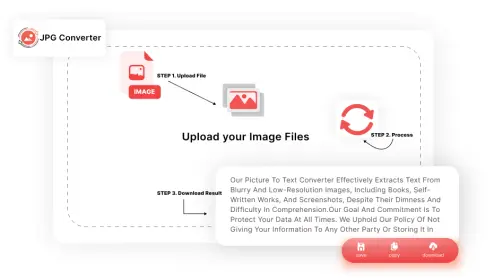
-
STEP 1. Upload Your WebP Files:
Drag & drop your WebP images into the converter.
-
STEP 2. Tap “Convert”:
Click the “Convert” button & let our tool do the work.
-
STEP 3. Download:
Save your newly converted JPG files or share them directly.
Why Choose Our WebP to JPG Converter?
Easy-to-Use Converter
Our WebP to JPG converter is designed for simplicity. Whether you’re on Windows, Mac, or even your mobile device, converting your images is a breeze. Just drag, drop, & convert—no technical knowledge required.
Fast & Free Conversion
You don’t need expensive software to convert WebP to JPG. Our tool is completely free, with no hidden fees, no watermarks, & no need for registration. Plus, it’s fast—your images are ready in seconds.
Secure & Reliable
Your privacy is our priority. All files are processed securely using TLS encryption. Once your conversion is complete, your files are deleted within an hour, ensuring your data stays private.
Works on All Devices
No matter what device you’re using, our WebP to JPG converter works seamlessly on Windows, Mac, Android, & iOS. You can even convert files on the go with your mobile browser.
Convert WebP to JPG Effortlessly
Our converter is not just fast—it’s also versatile. Whether you’re dealing with a single image or multiple files, you can count on consistent, high-quality results every time.
Frequently Asked Questions (FAQs)
WebP is an image format developed by Google that offers superior compression, allowing for smaller file sizes without sacrificing quality.
While WebP is great for web use, JPG is a more widely supported format, making it easier to use across different devices & applications.
Yes, our converter is completely free to use with no hidden costs.
Absolutely! Our tool allows you to convert multiple WebP files into JPG format simultaneously.
All files are securely processed through TLS encryption, & your files are deleted from our servers within an hour of conversion.
No registration is required. Just upload, convert, & download.
Yes! You can convert WebP files to both JPG & JPEG formats using our tool.