JFIF to JPG Converter
Simply upload your JFIF images and get the same image in JPG/JPEG format using our free JFIF to JPG converter.
How to Convert JFIF to JPG Online?
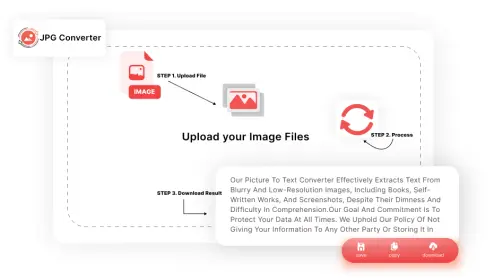
Follow these simple steps to convert JFIF to JPG:
-
STEP 1.
Click “Upload your JFIF Files” or drag & drop your JFIF files into the converter.
-
STEP 2.
Hit “Convert” & let our tool do its magic.
-
STEP 3.
Download your JPG file instantly. Easy as that!.
What is Unique about this JFIF to JPG Converter?
Some awesome features of our tool are mentioned below:

Easy Conversions
Converting your JFIF files is really simple with our jfif to jpg converter online. Just upload your JFIF image, hit the convert button, and instantly download your JPG or JPEG file.

Zero Cost
Our JFIF to JPG converter is 100% free to use. Convert as many images as you want without worrying about fees, subscriptions, or hidden charges.

Batch Processing
Our tool supports batch processing, so you can convert multiple JFIF files to JPG in a single go.

Order Flexibility
Easily drag and drop to rearrange, reorder, or remove files before converting. This gives you full control when converting multiple JFIF files quickly and easily.

High-Quality Output
Our JFIF to JPEG converter preserves image clarity and original quality. It uses advanced image processing to create lightweight JPEG files without losing detail, making them easy to download and share.

Secure & Private Conversions
Your images are safe with our JFIF to JPG converter online. We never store, share, or access your files. All images are processed securely and automatically deleted after conversion.
Who Can Use JFIF to JPG Converter Online?
Anyone can use this tool, but some of the best use cases are mentioned below:
 Photographers
Photographers sometimes receive images in JFIF format from older tools or downloads. With our jfif to jpg converter, they can quickly convert files to JPG/JPEG for editing, sharing, and building portfolios.
 Students
Students often recieve scanned images or downloads saved as JFIF. This tool lets them convert JFIF to JPG instantly for use in assignments, notes, and presentations.
 Designers
Designers need consistent formats like JPG or PNG for branding and layouts. When a client sends a JFIF file, they can easily convert JFIF to JPEG/JPG to keep their workflow smooth and compatible with design software.
 Professionals
Professionals handling reports, emails, or presentations can use the tool to convert JFIF to JPG for easier uploading, sharing, and inserting into documents without format issues.
 Developers
Developers dealing with browser-saved JFIF images can use the converter to get standard JPG files that work across all browsers and platforms.
Why Use Our JFIF to JPG Converter?
|
Free to Use
|
Convert as many JFIF files as you like without any hidden costs. |
|
No File Size Limits
|
Whether you're converting a small image or a large photo, our converter handles it all. |
|
Works on All Devices
|
Convert JFIF to JPG on any device, whether you're on Windows, Mac, Linux, Android, or iOS. |
|
Secure Conversions
|
Your files are processed with TLS encryption & are deleted from our servers within an hour to keep your data safe. |
|
Fast & Reliable
|
Our online JFIF to JPG converter is designed to be simple & user-friendly. We process everything in the cloud, meaning the conversion doesn't slow down your computer. |
Frequently Asked Questions (FAQs)
A JFIF (JPEG File Interchange Format) file is a variation of the standard JPEG format, commonly used to compress images for smaller file sizes while maintaining decent quality.
You can use an online converter like ours. Simply upload your JFIF file, click the "Convert" button, and download your JPG file in seconds.
While both formats are similar, JFIF is a variation of JPEG. Converting from JFIF to JPG does not typically result in any noticeable loss of quality.
Yes, our tool supports batch conversions, allowing you to convert multiple JFIF files to JPG in one go.
Yes, our converter is secure. Your files are deleted from our servers after the conversion is complete to ensure privacy.