HTML TO JPG Converter
Quickly convert HTML to JPEG/JPG using Free HTML to Image Converter
How to Use the HTML to JPG Converter?
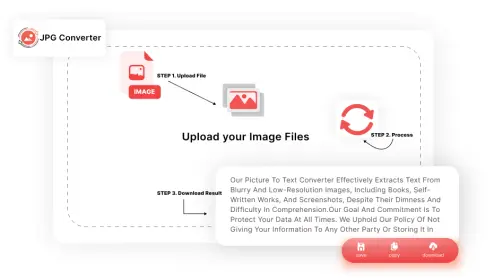
Follow these three simple steps:
-
STEP 1.
Drag your HTML file and drop it into the uploaded area or enter the URL directly if your file is online.
-
STEP 2.
Tap the “Convert” button to start the conversion.
-
STEP 3.
Your JPG is ready in seconds! Just click to download.
That's it! Three basic steps, and your JPG file is ready to go.
What is Unique about this HTML to JPG Converter?
Some awesome features of our tool are mentioned below:

Unmatched Speed
You can convert HTML to JPG in seconds with this fast and simple HTML to JPG converter.

Free of Charge
You can convert HTML to JPG or JPEG images as much as you want, there are no charges.

Ease of Use
This tool makes it easy for anyone to convert HTML to JPG with a quick upload and simple interface.

No Installations Needed
You can start using this HTML to JPG converter right away, no hidden sign ups are required

Quality Output
This HTML to image converter gives you clean, sharp JPG images that are clearly visible.

Secure and Private
You can convert HTML to JPG knowing your files stay private and aren’t stored on our server.
Who Can Benefit from HTML to JPG Tool?
This converter is ideal for:
Web Designers
Turn Chrome HTML document to JPG for portfolios or presentations.
Developers
Convert HTML to JPG for testing or sharing.
Content Creators
Save your HTML file as JPGs for easy sharing on social media.
Students
Capture web content as images for your projects.
Anyone
If you simply need an HTML to JPG converter, this tool covers you.
Frequently Asked Questions (FAQs)
Yes. You can convert HTML to JPG from Chrome in just a few clicks.
Absolutely! It’s totally free without any hidden charges.
Yes, our HTML to JPG converter is compatible with all devices, including mobiles and tablets.
Yes, the HTML to JPG converter maintains the original formatting, colors, and layouts of your original file.
The conversion is completely secure. Your files are processed and converted directly in your browser. Additionally, no data is stored on our servers.