PSD To JPG Converter
Convert Adobe Photoshop PSD images to JPG format, for Free
How to Use the PSD to JPG Converter
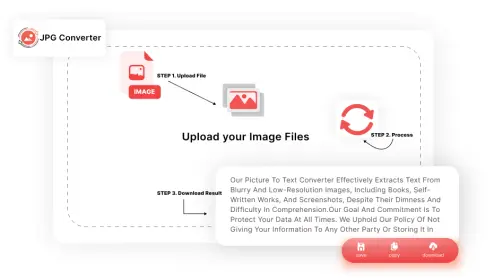
Follow these simple steps to convert PSD to JPG:
Upload the PSD File:
Drag & Drop Images or Click on the "Browse File" button
Click the "Convert":
After the files have been uploaded, click the "Convert" button
Download JPG File:
Download the converted JPG(s) to your local storage. All this process is fast and secure.
Features of the PSD to JPG Converter

Fast Conversion
You can convert Photoshop to JPGs within a few seconds. The tool used high-speed servers to provide you with speedy conversions.

High-Quality Output
The images converted using this PSD to JPG tool are clear and sharp. It does not affect the quality of the image at all.

Free to Use
Our PSD file to JPG Converter is completely free to use. No fees or subscriptions are needed for PSD to JPG conversion.

Easy to Navigate Interface
This tool has been designed to give an easy to use interface to the user. Literally anyone can convert PSD to JPG using it.

Secure
Your files are safe and private with us. We respect your privacy and dont store or share your data.
No Downloads Required
The PSD to JPG converter works directly in your browser online, you don't need to install any software or plugin to start using it.

Batch Conversion
It is not limited to single file conversion; you can convert multiple PSD files to JPG files at once.

Cross Platform
You can use our PSD to JPEG tool on any device PC (Desktop & MacOS), tablet, or phone(Android & iPhones).

Automatic Deletion
Once you have successfully performed the Adobe PSD to JPG Conversion, the files are automatically deleted from the server.
Why Choose the PSD to JPG Converter?
Speed and Efficiency
This Photoshop to JPG tool is designed to save your time. Convert PSD to JPG without waiting.
No Strings Attached
Convert PSD to JPEG for free! Whether you need one file or a dozen, it’s all free.
User-Centric Design
Easy to use! Even if you’re new to converting PSD to JPG files, you’ll find the process simple.
Versatile Use
Whether you’re transforming PSD to JPG for web use or printing, you’ll get perfect results every time.
Reliable
Rest assured, every conversion will be accurate and top-quality.
Frequently Asked Questions (FAQs)
Yes, our PSD to JPG converter is free to use. Convert as many PSD files to JPGs as needed.
Absolutely! The Photoshop to JPG tool deletes your files from its servers right after conversion.
Not at all! You don’t have to create an account. Just upload the file and convert it.
It works on all devices and operating systems.
No! Our PSD to JPG tool will maintain the original quality.