JPG to PNG Converter
Convert JPG images to PNG format with our free online tool. No Sign Up Required.
How to Convert JPG to PNG Online?
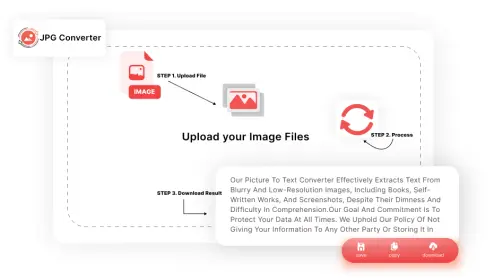
Follow these steps to convert JPG to PNG using our tool:
Upload Your JPG Files
Click the "Upload Files" button OR drag your images and drop them into the upload area.
Start the Conversion
Click on the "Convert" button to convert the uploaded JPGs to PNGs.
Download Your PNGs
Once the conversion is complete, click the "Download" button to save the PNG images on your device.
Why Convert JPEG to PNG?
Enhanced Quality and Transparency
JPG files are compressed and may lose quality, while PNG files maintain their original quality. PNGs also support transparency, allowing you to create images with see-through backgrounds, ideal for layering graphics in design projects.
Better Color Preservation
Unlike JPGs, PNGs do not suffer from compression artifacts, ensuring that your images retain their vibrant colors and sharp details. This makes PNGs perfect for web graphics, logos, and images requiring high fidelity.
Text and Graphics
PNG works well for images with text, graphics, and sharp lines since it maintains their clarity and definition. This is because PNG uses a unique compression algorithm that is specifically made for handling sharp edges and text.
Editing and Resizing
PNG is a better choice for images that require frequent editing and resizing, as it maintains its quality even after multiple edits and resizes. This is because PNG uses lossless compression, which means that the image data is not degraded each time the image is edited or resized.
By converting JPG to PNG, you can reap these benefits and improve the quality of your images.
Why Choose Our Image to PNG Converter?
Easy to Navigate
Our JPEG to PNG converter features a simple, intuitive design that makes converting images simpler and easier. You do not need any technical expertise to use it. Just follow a few easy steps to upload your JPG files, and the converter takes care of the rest.
High-Quality Output
This image to PNG converter ensures that your PNG files maintain excellent color accuracy and sharpness. Unlike some converters that might degrade the quality, our tool preserves the integrity of your images. You'll get crisp, clear PNGs.
Blazing-Fast Processing
Our JPG to PNG tool processes multiple files in seconds, so you can get your work done faster. Despite the speed, we never compromise on quality. You can convert numerous files in a single go, and each one will be processed quickly and efficiently.
No Cost
One of the best features of our JPG to PNG converter is that it’s entirely free to use. You don't have to worry about hidden charges, sign-ups, or subscriptions. Just visit our tool, upload your files, and convert them without any cost.
Safe and Secure
We take your privacy seriously. All files you upload are securely processed and automatically deleted from our servers within one hour. This ensures that your personal data remains private and safe.
Frequently Asked Questions (FAQs)
Absolutely. Your privacy and security are our top priorities. We ensure that all uploaded files are deleted from our servers within one hour of conversion.
No. Our JPEG to PNG converter is designed to preserve the quality of your images. When you convert image to PNG using our tool, the image quality is maintained.
You can convert up to 20 files simultaneously. There are no limits on the total number of conversions you can perform.